


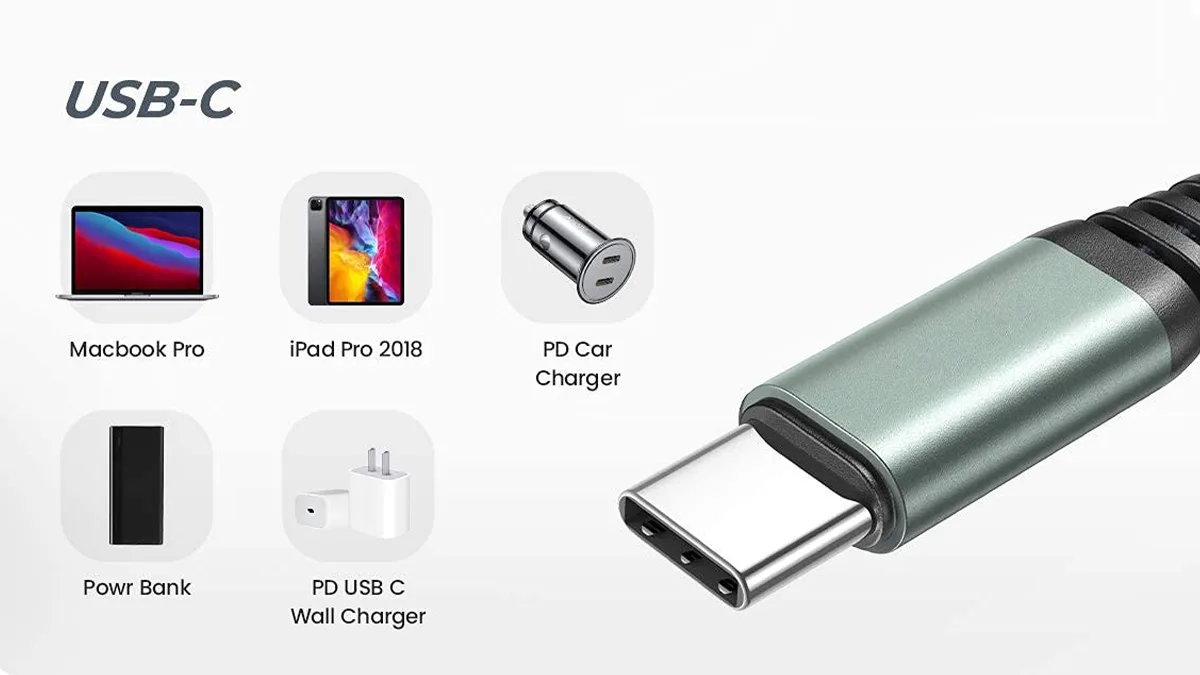
How to Choose the Right Type‑C Data Cable?
With the rapid development of the PD fast-charging market, GaN (Gallium Nitride) chargers are emerging from various brands. However, ordinary users often face a dilemma: which cable should I choose, and how can I avoid being misled? This article will provide a comprehensive guide to selecting Type‑C data cables, covering basic principles, protocol differences, and practical buying tips.
1. Why You Should Take Type‑C Cable Selection Seriously
Although the market is full of labels such as “PD,” “QC,” “100W,” and “65W,” the following issues often occur in real use:
Cable quality varies greatly; a cable labeled 100W may actually deliver only 60W.
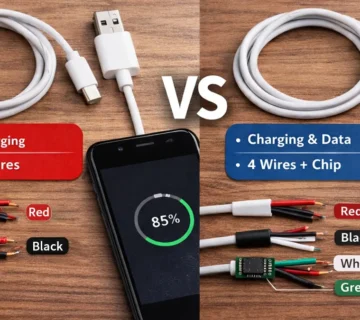
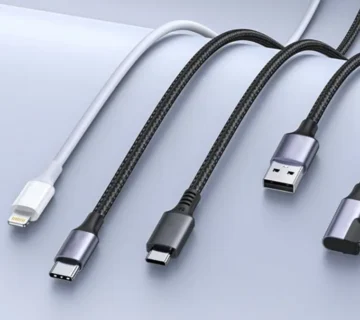
Type‑C cables without E‑Marker chips cannot guarantee high-power fast charging or high-speed data transfer, even if the connector is USB‑C.
Protocol compatibility differs; the same charger may perform differently on various devices.
Understanding the principles and protocols helps you avoid buying cables that look premium but are practically underwhelming.
2. USB Basics: Physical Connector vs Protocol
1) Physical Connector vs Protocol
USB connector types (e.g., USB‑A, USB‑C) are hardware forms, while USB protocols (e.g., USB 2.0/3.2/USB4) define data transfer speeds and feature support. They are independent but interrelated.
2) Advantages of USB Type‑C
The Type‑C connector is currently mainstream and offers the following advantages:
All-in-one functionality: Supports data, audio, video, and charging with a single cable.
Reversible design: Easy to plug in either way.
Bidirectional power and data transmission.
High-speed support: Compatible with USB 3.2, enabling 5Gbps, 10Gbps, or 20Gbps.
High-power support: Under PD protocol, can extend to 100W or higher.
Note: Many Type‑C cables on the market only support part of these functions, e.g., only charging or USB 2.0 data transfer.
3. Key Points for Choosing Type‑C Data Cables
Many users assume that all Type‑C cables support fast charging and high-speed data, but differences are significant:
1) Power Delivery
The basic Type‑C output is 5V/3A, but to achieve 60W or 100W high-power fast charging, the cable must support corresponding current and protocol.
2) High-speed Data and Video
Cables supporting USB 3.1/3.2 can reach 5Gbps, 10Gbps, or 20Gbps; USB 2.0 cables are limited to 480Mbps.
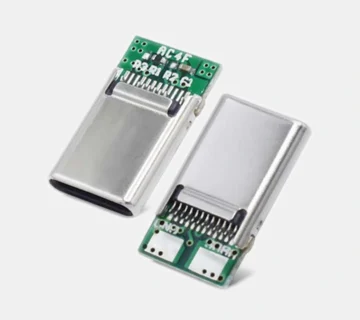
3) Importance of E‑Marker Chips
The E‑Marker (Electronic Marker) chip informs devices of the cable’s maximum voltage, current, and protocol capabilities:
Required for currents above 3A (~60W).
Without E‑Marker, both power and data speed are limited.
| Cable Type | Max Power | Data Rate | Notes |
|---|---|---|---|
| Non-chip Type‑C | ~60W | 480Mbps | Supports basic charging only |
| With E‑Marker | up to 100W | up to 20Gbps | Supports high-power fast charging and high-speed data |
4. Main Fast-Charging Protocols
1) USB Power Delivery (PD)
PD is the official USB‑IF fast-charging protocol, supporting multiple voltage and power levels:
| Power Level | Voltage Range |
|---|---|
| 10W | 5V × 2A |
| 18W | 5V/2A ~ 12V/1.5A |
| 36W | 5V~12V (various currents) |
| 60W | up to 20V/3A |
| 100W | up to 20V/5A |
PD is backward compatible with protocols like QC4.x.
2) Qualcomm Quick Charge (QC)
QC is Qualcomm’s proprietary fast-charging protocol:
QC2.0: 5V/9V/12V, up to ~18W.
QC3.0: Dynamically adjusts voltage, up to ~36W.
QC4.0 / QC4+: Compatible with PD, more efficient and safer.
Note: QC 2.0/3.0 is not compatible with PD, but QC4+ is.
3) Vendor-specific Fast Charging Protocols
Some brands use proprietary protocols:
| Protocol | Max Power | Features |
|---|---|---|
| Huawei SuperCharge | ~40W | Real-time voltage/current adjustment |
| OPPO VOOC / SuperVOOC | ~65W | Low-voltage, high-current; requires original cable |
| vivo Super Flash Charge | ~120W | Ultra-high power; requires original cable |
These protocols usually require official cables to achieve maximum power.
5. Buying Tips
Choose chargers compatible with multiple protocols: PD, QC, PPS, etc., to improve compatibility.
Type‑C cables must have E‑Marker chips, especially for high-power scenarios.
For video output, check DP Alt Mode support for HDMI/4K output.
Consider multi-port chargers’ power distribution, as simultaneous outputs may reduce per-port power.
6. Conclusion
To achieve ideal fast charging and data transfer, you must ensure:
Support for PD/QC/PPS protocols
Type‑C cable with E‑Marker
Video output support (e.g., DP Alt Mode)
True support for required power (e.g., 65W/100W)
Only then can you purchase a safe, efficient, and reliable Type‑C data cable.

No comment