


Smartphone Data Cables vs. Charging Cables: Two Seemingly Similar but Completely Different Cables
In the smartphone accessory market, data cables and charging cables may look similar, but they have fundamental differences. Many consumers confuse the two, which can lead to slow data transfer speeds and even pose a risk of device damage.
Fundamental Difference: Different Functional Roles
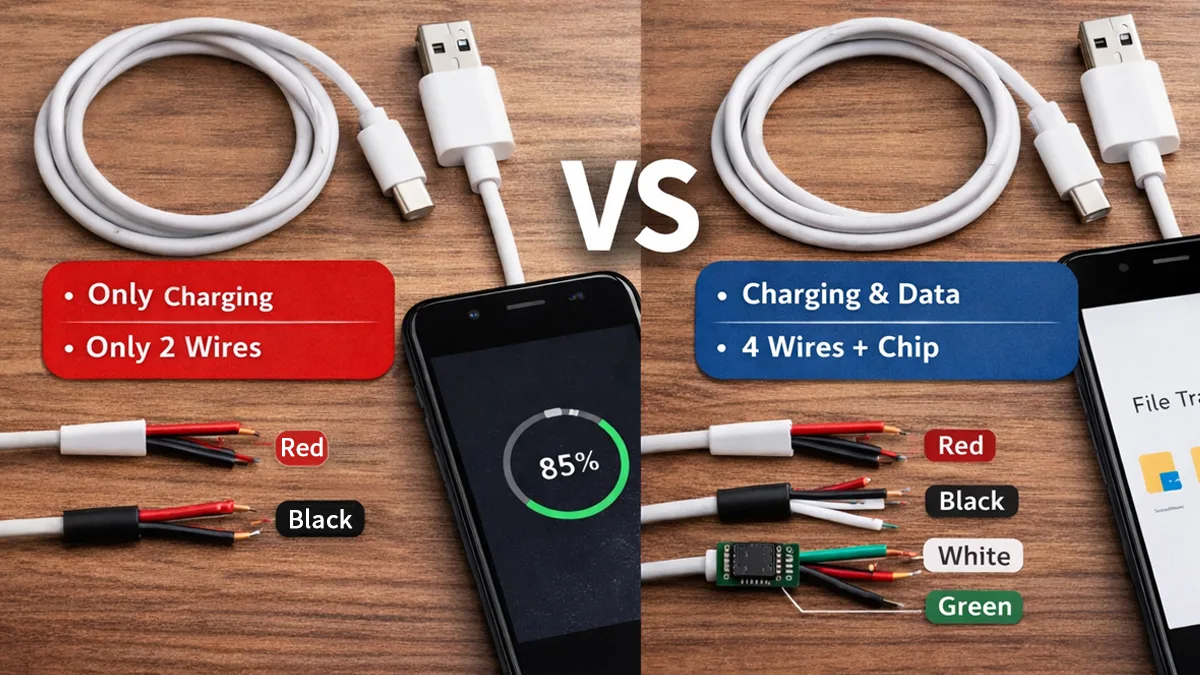
Charging Cables: As the name suggests, these are mainly used to charge devices. Their core function is power transmission, so their internal structure is relatively simple. A typical charging cable usually contains only two wires (positive and negative), sufficient for basic power delivery.
Data Cables: These cables have dual functions—they can both charge and transfer data. Internally, they include two additional wires dedicated to data transmission, allowing devices to exchange files or synchronize data with computers or other devices. These extra wires act as an “information highway” for data transfer.
Market research shows that over 60% of users have never paid attention to the type of cable they use, and nearly half have experienced problems when trying to transfer data.
Physical Structure: Four Wires vs. Two Wires
If you cut open a standard USB data cable, you will see four colored wires:
-
Red: Positive power (+5V)
-
Black: Negative power (ground)
-
White: Data negative (D−)
-
Green: Data positive (D+)
A simple charging cable typically only has the red and black power wires, missing the white and green data lines. Some manufacturers, to cut costs, even fill the data wire positions with non-functional plastic wires, making the cable look like a data cable but unable to transfer data.
| Feature | Charging Cable | Data Cable |
|---|---|---|
| Function | Power only | Power + Data Transfer |
| Data Transfer Rate | Not supported | 480Mbps to 20Gbps depending on USB protocol |
| Fast Charging | Low current or specific fast charge only | High-power fast charge requires E-Marker |
| Video Output | Not supported | Supported (some Type-C data cables) |
| Use Case | Quick charging for phones/tablets | File transfer, video output, device connection |
How to Identify: Differentiating the Two
The simplest way is to check the packaging. Reputable manufacturers clearly label the product as a “Data Cable” or “Charging Cable” with detailed specifications. If the packaging only says “Charging Cable,” even if the connector looks like a data cable, it may only support charging.
Practical testing is also effective: connect your phone to a computer with the cable. If the computer recognizes the device and allows file access, it is a data cable; if only the charging icon appears or there is no response, it is likely a charging cable.
Another method is to observe charging speed. Under the same conditions, data cables usually provide faster charging because they follow the full USB protocol. Some cheap charging cables may only support basic 5V/1A charging.
Internal Chips: The Hidden Key Difference
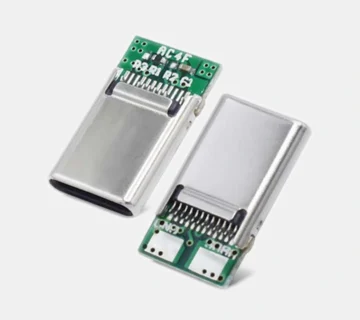
Modern data cables, especially those supporting fast charging protocols, often contain microchips that manage communication between the device and the charger. These chips ensure safe and efficient charging and data transfer.
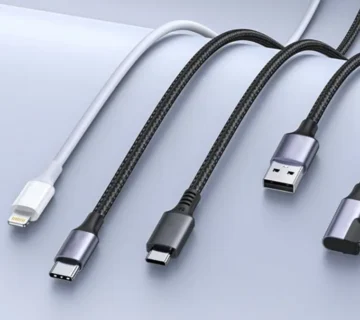
For example, Apple’s Lightning cables have authentication chips at the connector. Many counterfeit or non-data charging cables omit this critical component. Similarly, Type-C cables supporting USB PD fast charging include E-Marker chips to indicate the cable’s power handling and data transfer capabilities.
Safety Risks: Don’t Underestimate a Cable
Poor-quality charging cables pose real risks. Lacking proper shielding and overload protection, they can cause:
-
Extremely slow charging or no charging at all
-
Overheating of device ports, potentially damaging the phone over time
-
In extreme cases, short circuits or fires
National quality inspection agencies report hundreds of electronic device accidents each year caused by substandard charging cables. Choosing products with proper certification (e.g., MFi-certified Apple cables) is essential for safety.
Buying Guide: Choose According to Your Needs
For charging-only scenarios, such as at a bedside, office, or in the car, a reliable charging cable is sufficient. These are usually more affordable and meet basic charging needs.
If you need to transfer data between devices or want the best charging experience, invest in a high-quality data cable. Especially for fast charging, a data cable ensures correct communication between the device and charger for safe and efficient charging.
It’s worth noting that with technological advancement, more cables are becoming multifunctional. Most mainstream Type-C cables today support both high-speed data transfer and high-power charging, although they are typically more expensive.
Next time you pick up a smartphone cable, take a few seconds to inspect the connector and build quality. Data cable connectors are usually more precise with neatly aligned contacts, while cheap charging cables often have burrs or loose connections. This small habit can speed up data transfer by several times and protect your valuable phone battery and charging port.

No comment